
Models & context
Bring your own API key (BYOK)
Add an OpenAI, Anthropic, or Google key to use supported models with provider billing instead of Neurothread credits.
Before you start
Section titled “Before you start”BYOK means using a provider API key that belongs to you. Neurothread currently offers key fields for OpenAI, Anthropic, and Google in Settings → API keys. A paid plan is required. A saved key is associated with your Neurothread account, stored encrypted, and never displayed again in the settings list. Neurothread does not ask you to paste the key into a prompt.
You also need an active API account with the provider, a key that is allowed to make API requests, and any billing or usage limits configured there. Connecting a key saves it; it does not promise that the provider will accept it. Do not share the key with an assistant or another person.
When to use this
Section titled “When to use this”Use BYOK when you want eligible model requests to be billed by the provider in your own provider account rather than using Neurothread credits. It can be useful if you have provider credits or want to manage usage through that provider. It is not a way to use every catalog model: the model must support the selected provider key, and some models are routed or billed by Neurothread instead.
BYOK is separate from Connected apps. Provider keys authorize model requests; MCP connections give models access to external tools. For those integrations, see Connected apps.
- Confirm your plan supports BYOK on the current pricing page.
- Open your avatar menu and select Settings → API keys.
- Choose the provider that issued the key: OpenAI, Anthropic, or Google. Obtain or manage the key in that provider’s own account—not in Neurothread.
- Select Connect, enter the key in the password-style field, and select Save. Treat the key like a password and avoid screenshots or shared devices while entering it.
- Return to the model picker and select a model compatible with that provider. The saved provider name appears as Active; the secret itself is not shown. To replace a key, choose Edit, enter the replacement, and save.
- To stop using a saved key, select Remove for that provider and confirm. This removes the stored key from your Neurothread account; review the provider account separately if you also want to revoke it there.
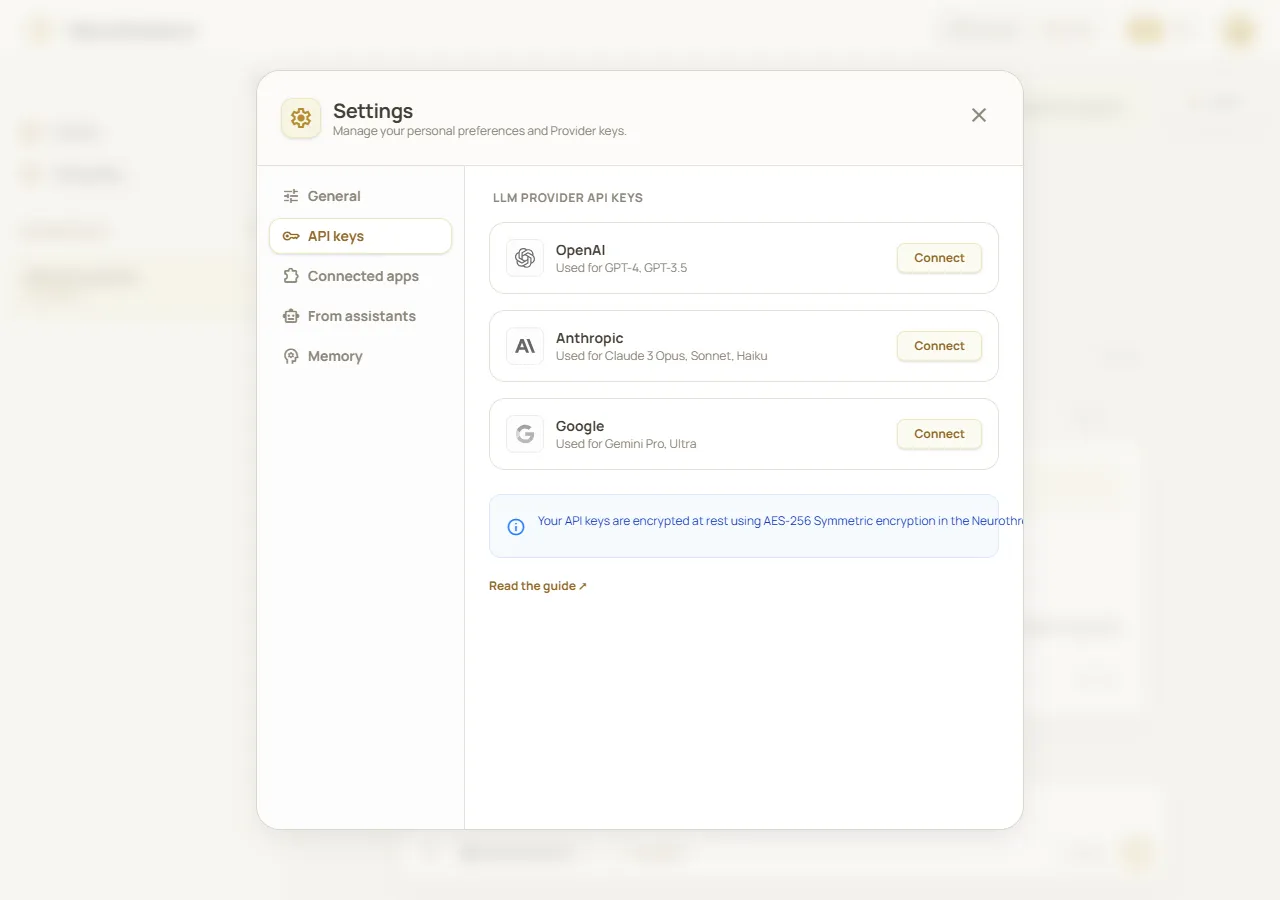
Provider key management in Settings. Fictional demonstration data; simulated API, no real API keys or provider validation.
Worked example
Section titled “Worked example”Suppose you have an API key from Google and a plan that includes BYOK. Save it under Google, then choose a Google model in the picker. If the request is accepted with your key, the provider bills that model usage to your Google API account rather than deducting Neurothread credits for that model call. Check both accounts to understand the separate usage.
What happens next
Section titled “What happens next”Your key remains saved to your account until you replace or remove it; logging out does not require you to reconnect it. When an eligible model request uses the key, Neurothread routes that request to the provider. Other requests may still use Neurothread’s platform route, depending on the selected model and feature. A key status in Settings indicates that a key is stored, not that it has been pre-validated or that every model can use it.
Cost and limitations
Section titled “Cost and limitations”The provider’s own rates, billing rules, and usage controls apply to requests made with your key. Eligible model generation does not use Neurothread credits for that model call, but web search is a separate feature and can still depend on your Neurothread credit availability. Some models do not support BYOK, including certain catalog-only routes, and Neurothread-branded models may use the platform route. Check the picker and the live pricing page; do not assume that a key changes the price or billing route for every feature.
Troubleshooting
Section titled “Troubleshooting”- The provider rejects the request: check the provider, key status, API access, and billing limits in that provider’s account. Then replace the key in Settings → API keys if needed.
- The key shows Active, but a request fails: Active means a key is stored; it is not a successful test. The provider’s response on an actual eligible request determines whether it works.
- A model still spends Neurothread credits: confirm that the model supports BYOK for that provider and that your current plan allows it. A saved key is not used for unrelated providers or unsupported models.
- Web search is unavailable: BYOK does not bypass the separate credit rules for search. Check your credit usage and plan.
- You want the key gone: use Remove in Settings, and revoke it with the provider if you no longer want it to be usable.